Chat with AI or an agent, support tickets and updates in one support portal
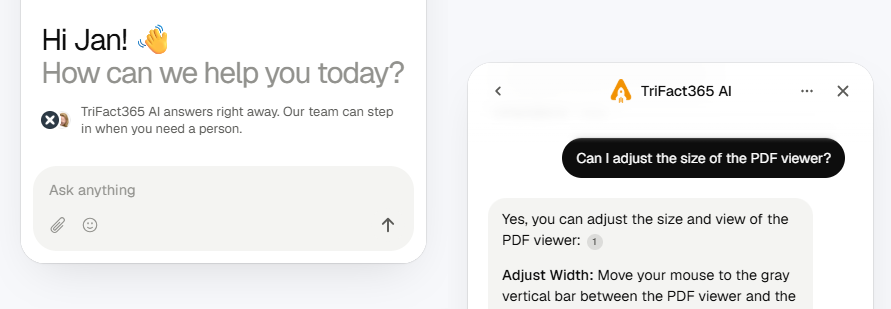
We recently gave our knowledge base a complete overhaul. Now we’re bringing everything together in one support portal: you can chat with AI or an agent, submit support tickets and follow the latest updates. You can open all of it straight from TriFact365.
Chat with AI or an agent
In TriFact365, you’ll find the new chat widget at the bottom left of the vertical menu.
Ask our AI assistant your question, or get connected to an agent if you can’t find the answer. Our agents are available Monday to Friday from 9:00 AM to 5:00 PM.
In the widget, you can also search the knowledge base, view your open support tickets and read the latest updates, without leaving TriFact365.
Are you in the support portal, for example in the knowledge base or on the updates page? You’ll find the chat widget there too.
Create support tickets
You can now create and manage support tickets in the support portal. This keeps all your tickets in one place, so you no longer have to search through your email.
Create a ticket through the chat widget, or click the question mark in the blue menu in TriFact365 and go to ‘My support tickets’. This takes you to the support portal.
You’ll receive an email notification whenever your ticket is updated. You can reply directly to that email.
Stay up to date
Our updates page is now part of the support portal.
View new updates through the blue menu or the chat widget.
We will continue to send periodic update emails to administrators, containing a summary of all new features, improvements, and bug fixes.